

VICIdial handles millions of calls every day across contact centers in more than 100 countries. It is powerful and flexible, but its default interface is not designed around your team’s specific workflow. That is where friction can start.
If agents have to switch between multiple screens, supervisors spend time creating reports manually, or your contact center interface has looked the same for years, these issues can affect daily productivity.
VICIdial Dashboard customization helps call centers improve the interface without replacing a platform that already works for them. Whether you need a redesigned VICIdial custom theme, better reporting tools, or a completely redesigned agent interface, VICIdial development services can help align the platform with your team’s needs.
Here are seven clear signs that your VICIdial dashboard may need a custom UI development partner.
Sign 1: Agents Are Struggling with a Cluttered VICIdial Agent Interface
A cluttered screen is not just an aesthetic issue. It can slow agents down on every call.
According to a research, agents navigate an average of 8.2 applications per day. When these tools are not connected, frequent screen switching can add extra time to each interaction.
The default VICIdial agent interface provides agents with a lot of information, but not all of it may be relevant to their daily work. Frequently used features can sit alongside options agents rarely use, while menus may not match the way your team works.
Signs the agent interface is slowing your team down:
- Agents frequently ask where a specific button or field is
- New agent onboarding takes longer than expected
- Agents use external tools to write notes because the interface does not provide a convenient place for them
- Pause codes or disposition options require too many clicks
A VICIdial custom UI development partner can redesign the agent screen around your workflows. Frequently used features can be easier to access, less-used options can be reduced, and common tasks can require fewer clicks.
Sign 2: The Default Dashboard Does Not Reflect Your Brand or Operational Identity
VICIdial’s default interface is functional, but it does not automatically reflect your brand. For contact centers that show their platform to clients, investors, or enterprise buyers, a customized interface can create a more consistent experience.
VICIdial theme customization lets your team adapt the interface to match your company’s visual identity. This can include colors, fonts, logo placement, and layout choices that match your other business platforms.
A well-organized interface can also make information easier to understand and help users find the features they need more quickly.
What a VICIdial custom theme can address:
- Branded color schemes and typography aligned with your identity
- Cleaner layouts with fewer visual distractions
- Role-appropriate views so supervisors and agents see relevant information
- A modern interface that follows current UX practices
Sign 3: You Are Spending Hours on Reports That Should Take Minutes
VICIdial includes a range of reports, but these may not cover every KPI your operation needs.
Every contact center has its own KPIs, campaign structures, and performance goals. Getting the right information from standard VICIdial reports may require exporting data, working with spreadsheets, and combining information from different reports.
This is where VICIdial UX improvement can help.
Custom dashboard panels can bring the metrics your managers and supervisors need into one view. Instead of running multiple reports and comparing them manually, a customized dashboard can provide a clearer operational overview.
What custom reporting panels can include:
- Campaign-level conversion rates
- Agent performance heatmaps by hour or day
- Supervisor queue monitoring with threshold-based alerts
- Lead list penetration tracking by campaign
- Custom disposition tracking based on your sales process
If managers spend significant time creating reports that could be automated through a better interface, VICIdial dashboard customization may be worth considering.
Sign 4: Supervisors Cannot Monitor Live Activity Without Switching Tools
Real-time visibility is one of VICIdial’s useful capabilities. Its live reporting features provide information about active calls, agent statuses, and queue activity. However, supervisors may still need to move between different pages to monitor everything they need.
A custom VICIdial UI customization project can bring key supervisor information into one view. This can include live call activity, agent status, queue depth, and exception alerts.
This becomes especially useful during high-volume periods. When call volumes increase or an agent becomes unavailable, supervisors need quick access to the information required to respond.
Key features a custom supervisor view can incorporate:
- Real-time agent status with clear availability indicators
- Live call monitoring with quick access to barge-in or whisper features
- Queue depth alerts when wait times cross defined thresholds
- Campaign pacing indicators for outbound operations
- Break and availability time tracking for each agent
Sign 5: Your VICIdial Custom Skin Has Not Evolved with Your Team
Contact centers change over time. Agent numbers grow, campaign types increase, and compliance requirements can change. The VICIdial setup that worked well three years ago may no longer fit your current needs.
A VICIdial custom skin designed for 20 agents and two inbound campaigns may not work as well for 100 agents managing six outbound campaigns. As your operation grows, the original layout, navigation, and information structure can become harder to use.
Signs your existing customization is no longer keeping pace:
- Supervisors manage different teams but see the same general view
- New campaign types do not fit well into the existing interface
- Compliance fields or required disclosures depend on workarounds
- The interface treats all agents the same when you need role-based views
Working with a VICIdial development services partner can help you update the interface based on your current team size, workflows, and operating model.
Sign 6: CRM and Third-Party Integrations Feel Bolted On
VICIdial can integrate with many CRMs and external systems. However, these integrations may still require agents to switch between different applications.
For example, an agent may need to move from VICIdial to a CRM to add notes, update customer records, or check account history. This extra switching can slow down workflows and increase the chance of manual errors.
A properly built VICIdial custom UI development project can bring CRM information directly into the agent screen. Agents can view customer details, call history, and account information within VICIdial. Notes and dispositions can also be sent back to the CRM without leaving the dialer.
Common integrations that benefit from UI-level consolidation:
- Salesforce, HubSpot, or Zoho CRM data embedded in the agent panel
- Lead management and scoring available before the call connects
- Post-call notes synced with the CRM without manual entry
- Compliance scripts displayed based on the campaign or lead type
- Click-to-call and screen-pop features aligned with the CRM data model
When agents need to switch between multiple applications during a call, it can add extra steps to their workflow. A more connected interface can help reduce this unnecessary switching and make daily tasks easier to manage.
Also Read: Ultimate Guide to Top Custom VoIP Development Companies in 2026
Sign 7: Your Competitors Offer a Better Agent and Supervisor Experience
This sign can be harder to measure, but it can still be an important reason to improve your interface. If agents prefer competitors because they offer a more modern work environment, or prospects notice that your interface looks outdated, the problem is no longer just technical. It can also affect how people view your business.
VICIdial theme customization and interface improvements are about more than appearance. A cleaner and easier-to-use interface can support agent retention, faster onboarding, and a more professional experience for enterprise clients.
Agent turnover is a common challenge for contact centers. Making daily tasks easier and reducing unnecessary steps can help improve the overall agent experience. An intuitive interface can make it easier for agents to learn the system, complete tasks, and manage calls.
A focused VICIdial UX improvement project does not require replacing your entire system. In many cases, targeted interface changes can improve usability while keeping your existing call flows and telephony configuration in place.
How Inextrix Approaches VICIdial Development Services
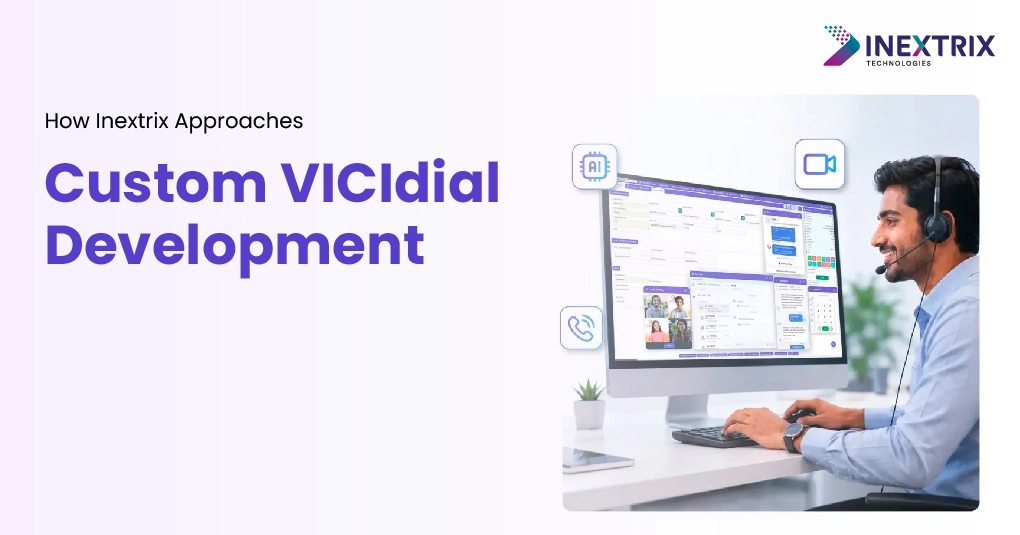
Inextrix provides VICIdial customization and development services for contact centers across different industries and regions. Its work includes agent interface redesign, supervisor dashboards, custom reporting modules, VICIdial Vtiger CRM Integration, and role-based access configurations.
The approach starts by understanding how your contact center works. What do agents do during a typical shift? Where do supervisors spend most of their time? Which metrics are important to the business? These answers help shape the right solution for your team.
VICIdial dashboard customization at Inextrix covers both the visual and functional aspects of the platform. This includes PHP-based changes to agent and supervisor screens, VICIdial custom skin development using CSS and JavaScript, custom reporting modules, and API-level integrations with CRMs and third-party systems.
If your VICIdial platform works well but its interface does not meet your team’s needs, VICIdial development services can help close that gap. The goal is to improve the interface while keeping your existing call flows and telephony setup in place.
Conclusion:
VICIdial is a capable platform, but its default interface may not fit every contact center’s workflow. The good news is that the interface can be customized to better match how your team works.
If agents struggle with a cluttered screen, supervisors spend too much time combining reports, or your VICIdial custom skin was designed for a much smaller team, these issues can be addressed through targeted customization.
VICIdial dashboard customization allows contact centers to improve the interface without replacing the platform. A well-designed VICIdial custom theme and UI updates can make daily tasks easier, simplify supervisor monitoring, and create a more modern user experience.
With the right VICIdial development services, you can customize the platform around your team’s workflows, reporting needs, integrations, and user roles.
If several of the signs in this article sound familiar, it may be time to review your current VICIdial interface. Talk to Our Experts to discuss your VICIdial UI development requirements.