


The custom call center solutions market is not a niche anymore. According to a report, the global contact center software market is valued at USD 72.86 billion in 2025 and is projected to reach USD 184.24 billion by 2031, growing at a CAGR of 16.72%.
This growth reflects a major shift in how businesses approach customer communications. Instead of relying on generic call center software, many organizations are building platforms tailored to their own traffic volumes, agent workflows, compliance requirements, and CRM integrations.
For companies choosing to build rather than buy, FreeSWITCH call center development offers a powerful foundation. As a robust open-source telephony platform licensed under the Mozilla Public License, FreeSWITCH provides full control over your communications infrastructure without per-seat licensing fees, vendor lock-in, or limitations on concurrent call capacity.
This guide explains how to build a custom call center platform using FreeSWITCH, including the architecture choices, core components, integration requirements, scaling strategies, and development considerations needed to move from an initial deployment to a production-ready system.
What Makes FreeSWITCH the Right Foundation
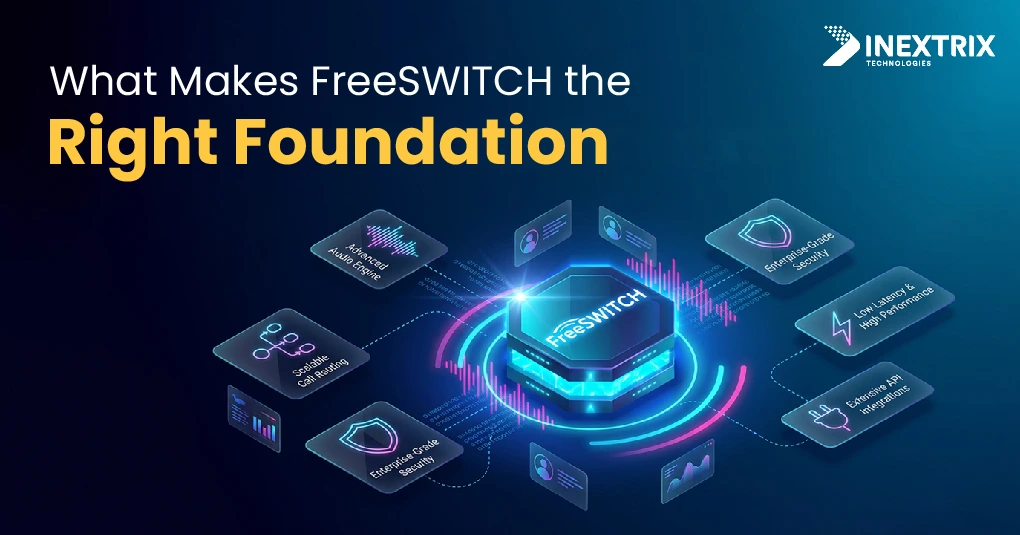
Before making architecture decisions, it is important to understand what FreeSWITCH development services provide.
FreeSWITCH is not just a PBX. It is a programmable telephony platform designed to handle signaling and media independently. Each call runs in its own thread, making it well suited for high-volume call center environments.Key advantages of FreeSWITCH include:
- Concurrency without collision: A single FreeSWITCH instance can handle hundreds of concurrent calls without one call affecting another. This helps maintain performance during peak business hours or high-volume campaigns.
- Protocol breadth: FreeSWITCH supports SIP, WebRTC, H.323, PSTN connectivity through gateways, and other signaling protocols. This flexibility allows businesses to connect browser-based agents, softphones, and traditional SIP desk phones within the same platform.
- Codec flexibility: FreeSWITCH supports codecs such as G.711, G.729, OPUS, iLBC, and SILK. It can automatically transcode between codecs, ensuring compatibility across different networks and devices.
- Scripting and extensibility: With dialplan logic in XML or Lua, event handling through ESL (Event Socket Layer), and support for Python, Java, JavaScript, and .NET integrations, FreeSWITCH can be customized to fit specific business workflows and operational requirements.
These capabilities make FreeSWITCH call center development a strong foundation for building scalable, flexible, and highly customized call center platforms.
Also Read: Top Reasons Why VoIP Development Companies Prefer FreeSWITCH
Core Architecture of a FreeSWITCH-Based Call Center
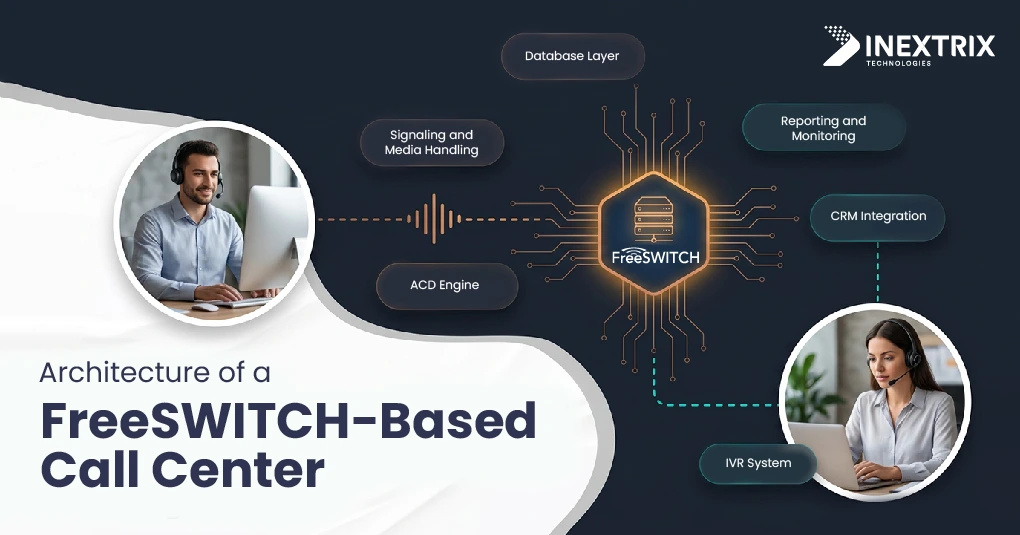
When starting to build call center platform FreeSWITCH project, architecture is one of the most important decisions. A poor design can create scalability and performance issues as call volumes increase.
A production-ready FreeSWITCH call center architecture typically includes the following layers:
1. Signaling and Media Handling
FreeSWITCH serves as the core telephony engine, managing SIP signaling through the Sofia-SIP stack and handling RTP media streams. In larger deployments, signaling and media are often separated to improve reliability and prevent media-related issues from affecting active calls.
2. Database Layer
Call records, agent status, queue information, and system data are stored in a database that FreeSWITCH accesses in real time. PostgreSQL is commonly used for production environments because it supports high volumes of concurrent transactions. SQLite is suitable only for development or small single-server deployments.
3. ACD Engine (Automatic Call Distribution)
The ACD engine manages inbound call queues and routes calls to available agents based on predefined rules such as skills, priority, wait time, or custom business logic. While FreeSWITCH provides the mod_callcenter module, many deployments extend its functionality using custom ESL scripts.
4. IVR System (Interactive Voice Response)
The IVR system guides callers before they reach an agent. In FreeSWITCH, IVR workflows can be created using dialplans or Lua scripts. For advanced use cases where menus change dynamically based on CRM data, customer status, or call history, ESL integration with the application layer is often the preferred approach.
5. Reporting and Monitoring
Real-time visibility is essential for call center operations. Key metrics such as queue depth, agent availability, abandoned call rates, and Average Speed to Answer (ASA) should be available through live dashboards. FreeSWITCH generates these events through ESL, allowing external reporting systems to process and display the data.
6. CRM Integration
A call center platform is far more effective when integrated with a CRM. Common integrations include:
- Screen pop: Display customer information when a call arrives.
- Click-to-call: Initiate calls directly from CRM records.
- Call disposition logging: Save call outcomes and notes back to the CRM after the interaction.
Together, these layers form the foundation of a scalable and reliable FreeSWITCH call center architecture capable of supporting both inbound and outbound call center operations.
Key Components You Need to Build
A custom call center platform development project involves more than deploying FreeSWITCH. To create a complete call center solution, you need several supporting components.
Agent Desktop Interface
The agent desktop is the primary workspace for call center agents. It should provide everything needed to manage customer interactions efficiently, including:
- Caller ID and customer information
- Queue and call status details
- CRM data and customer history
- Call controls such as hold, transfer, mute, and conference
- Call disposition and note logging
A common approach is to build the interface as a web application using WebRTC. This allows agents to make and receive calls directly from their browsers without installing desktop software. The application connects to FreeSWITCH through WSS (WebSocket Secure), creating a secure and flexible communication environment.
Also Read: How to Make VoIP Calls via Browser with FreeSWITCH WebRTC?
Inbound Call Routing Engine
Beyond basic ACD functionality, production call centers require advanced routing logic to improve customer experience and operational efficiency. Common routing capabilities include:
- Agent skill-based routing based on expertise and proficiency levels.
- Time-of-day and timezone-aware routing for global operations.
- Priority queues for VIP customers identified through CRM or ANI lookups.
- Overflow routing when queue length or wait times exceed defined thresholds.
- Callback scheduling for callers who prefer not to wait on hold.
These routing rules help ensure calls reach the most appropriate agent while maintaining service levels during peak traffic periods.
Outbound Dialer
Outbound call center operations require a dedicated dialer engine to manage campaign execution and agent productivity. Key functions include:
- Campaign list management
- Predictive and progressive dialing modes
- DNC (Do Not Call) list compliance
- AMD (Answering Machine Detection)
In a FreeSWITCH call center architecture, FreeSWITCH handles call origination, while the dialer application manages campaign logic and delivers calls to agents.
Call Recording
Call recording is essential for compliance, quality assurance, and agent training.
FreeSWITCH supports native recording through mod_record_session, allowing calls to be recorded automatically based on business rules. For larger deployments, recordings are typically stored in S3-compatible object storage rather than local servers to improve scalability and reduce storage limitations.
Real-Time Supervisor Tools
Supervisors need live visibility and control over call center operations. Common capabilities include:
- Silent monitoring of active calls
- Whisper coaching that allows supervisors to speak to agents without the caller hearing
- Call barging for intervention when needed
- Live queue and agent performance monitoring
FreeSWITCH supports these features through its conferencing capabilities and ESL-based controls, making it possible to build comprehensive supervisor dashboards for real-time management.
Step-by-Step: From Bare Metal to Working Platform
A typical FreeSWITCH call center development project follows a structured process. Each stage builds on the previous one to create a scalable and production-ready call center platform.
Step 1: Server Provisioning and OS Hardening
FreeSWITCH performs best on dedicated servers or high-performance virtual machines running Debian 11/12 or Ubuntu 22.04 LTS.
Before installation:
- Increase open file limits
- Optimize network buffers for RTP traffic
- Configure CPU performance settings
- Apply OS security hardening
Proper server tuning is critical because operating system bottlenecks often appear before FreeSWITCH itself reaches its limits.
Step 2: FreeSWITCH Installation and Core Configuration
For production environments, it is recommended to compile FreeSWITCH from source rather than using prebuilt packages. This provides greater control over modules and system performance.
Key configuration tasks include:
- Setting up internal and external SIP profiles
- Defining codec priorities
- Configuring TLS and SRTP for secure communications
- Enabling required FreeSWITCH modules
Step 3: Dialplan Architecture
The dialplan controls how calls are processed and routed throughout the platform.
For a call center environment, the dialplan typically manages:
- DID number routing
- IVR entry points
- Caller screening and blacklist checks
- Priority customer identification
- Agent and extension routing
Keeping the dialplan modular makes future updates and troubleshooting much easier.
Step 4: ACD and Queue Configuration
Configure mod_callcenter to manage inbound call distribution.
This includes:
- Creating queues for departments or skill groups
- Selecting routing strategies such as round-robin, longest-idle, or skills-based routing
- Configuring agents and queue thresholds
- Setting up Music on Hold (MOH)
Queue failover scenarios should also be tested to ensure business continuity.
Step 5: Database Integration
Connect FreeSWITCH to PostgreSQL for storing:
- Call Detail Records (CDRs)
- Queue information
- Agent status data
- Reporting metrics
Modules such as mod_odbc_cdr can be used for database integration. Ensure database operations remain non-blocking so call performance is not affected by slow queries.
Step 6: Agent Desktop Development
Build or configure a WebRTC-based agent interface that connects to FreeSWITCH through:
- Verto protocol
- SIP over WebSocket (WSS)
The agent application should support:
- Login and logout
- Call handling
- Hold, transfer, and conference functions
- Call disposition logging
- CRM integration
Network reconnection scenarios should be thoroughly tested to ensure reliability.
Step 7: Integration Layer
Develop an application layer using ESL (Event Socket Layer) to connect business systems with FreeSWITCH.
Typical integrations include:
- CRM screen pops
- Real-time dashboards
- Callback scheduling
- Outbound campaign management
- Agent performance tracking
ESL provides access to call events such as call creation, answer, transfer, hold, and hangup, allowing external systems to stay synchronized with call activity.
Step 8: Load Testing
Before production deployment, perform load testing at approximately 150% of expected peak traffic. Tools such as SIPp can simulate real-world call volumes and identify bottlenecks.
Common areas to test include:
- Database connection limits
- CPU usage during codec transcoding
- RTP port availability
- Queue performance under heavy load
Addressing these issues before launch helps ensure a stable and scalable call center platform.
By following these steps, organizations can successfully build a call center platform with FreeSWITCH that is reliable, scalable, and capable of supporting both inbound and outbound operations.
Know More About: Building a Scalable VoIP Solution with SIP.js and FreeSWITCH
Handling Scale: What Breaks First and How to Fix It
Many custom call center solutions perform well during testing but encounter challenges as call volumes increase. Understanding these common bottlenecks can help you build a more resilient and scalable platform from the start.
Media Server Saturation
By default, FreeSWITCH handles both signaling and media processing on the same server. As concurrent call volumes grow, resource-intensive tasks such as transcoding, call recording, and conferencing can consume significant CPU capacity.
Solution:
Deploy FreeSWITCH in a clustered architecture. Use dedicated media nodes to process audio streams while separate signaling nodes manage call routing and control. This separation improves performance and scalability.
Database Bottlenecks
Call centers generate a large number of database operations, including:
- Call Detail Record (CDR) storage
- Queue status updates
- Agent state changes
- Reporting and analytics data
Without optimization, the database can become a performance bottleneck.
Solution:
Use PostgreSQL with connection pooling through PgBouncer. Connection pooling reduces database overhead and prevents connection exhaustion during periods of heavy call activity.
SIP Registration Storms
When a FreeSWITCH server restarts, hundreds or thousands of agent devices may attempt to re-register simultaneously. This surge can temporarily overwhelm the system and disrupt normal call processing.
Solution:
Implement:
Registration rate limiting on the FreeSWITCH server
Exponential backoff on agent softphones
Staggered re-registration policies
These measures distribute the registration load and improve recovery after outages.
Network Topology and NAT Issues
Remote agents often connect from different networks and internet providers. Incorrect NAT configuration is one of the most common causes of one-way audio and call quality problems.
Key areas to configure include:
ext-sip-ip
ext-rtp-ip
STUN services
ICE support for WebRTC clients
Solution:
Use proper NAT traversal techniques, enable STUN where appropriate, and configure ICE correctly for browser-based agents to ensure reliable media connectivity.
By addressing these challenges early, FreeSWITCH call center development projects can scale smoothly from small deployments to large, high-volume contact center environments.
Integrating WebRTC for Browser-Based Agent Desktops
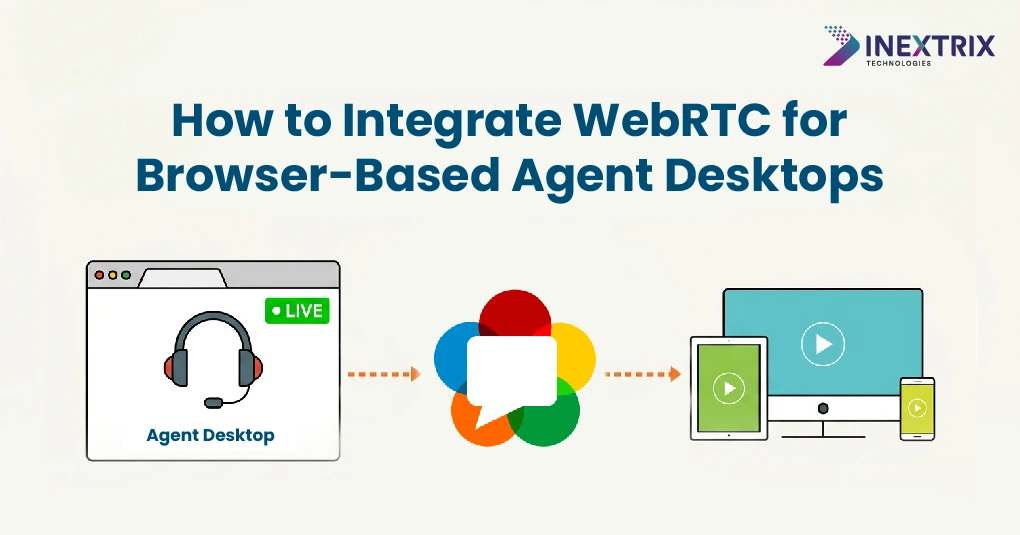
WebRTC integration is one of the most valuable components of a custom call center platform development project. By enabling browser-based agent desktops, businesses can eliminate desk phones and software installations, making it easier to support remote and distributed teams.
FreeSWITCH provides native WebRTC support through mod_verto, allowing agents to make and receive calls directly from a web browser.
How the Integration Works
- FreeSWITCH acts as the signaling and media gateway.
- Agent browsers connect through WSS (WebSocket Secure) using the Verto protocol.
- SRTP provides encrypted media transmission between the browser and FreeSWITCH.
- The browser uses standard WebRTC APIs for microphone access and audio playback.
- STUN/TURN servers handle NAT traversal and connectivity for agents behind firewalls.
The Business Impact
With a browser-based setup, agents simply:
- Open a web application
- Log in using their credentials
- Start handling calls immediately
There is no need to install desktop softphones or configure dedicated phone hardware.
The same interface can also provide access to CRM data, call controls, queue information, and supervisor tools. Supervisors can monitor calls, coach agents, and view real-time performance metrics without leaving the browser.
For organizations building a FreeSWITCH call center platform, WebRTC delivers a flexible, scalable, and cost-effective way to support modern call center operations.
Read More: Blending the Power of WebRTC Softphone and FreeSWITCH
The development work involves building a WebRTC client application (typically in React or Vue.js), integrating it with the Verto library, managing media devices, and creating a call control interface connected to the FreeSWITCH ESL application layer.
How Inextrix Approaches FreeSWITCH Call Center Development
Inextrix is a telecom engineering services company specializing in FreeSWITCH development services for call center, UCaaS, and ITSP deployments. Every project starts with a detailed technical architecture review based on call traffic patterns, CRM environment, compliance needs, and scalability goals.
Our call center platform development services typically include:
- Architecture design and review: Cluster topology, database schema, ESL design, CDR structure, and integration contracts defined before development begins
- Core platform development: FreeSWITCH configuration, ACD and IVR setup, dialplan engineering, WebRTC integration, and outbound dialer implementation
- Performance engineering: Load testing, bottleneck analysis, OS and kernel tuning, database optimization, and RTP performance analysis under peak load
- CRM and third-party integration: Salesforce, HubSpot, Zoho, and custom APIs for screen pop, click-to-call, and call logging
- Ongoing support and optimization: Monitoring, incident response, capacity planning, and continuous feature development
If you are evaluating a build vs buy decision or need reinforcement for an existing FreeSWITCH call center development project, we can provide a technical assessment with actionable recommendations.
Conclusion:
Building a custom call center platform on FreeSWITCH is a significant development effort, but it delivers full control over your communication infrastructure with no per-seat licensing, no vendor-imposed limitations, and no restrictions shaped by generic use cases.
Success depends on making the right foundational decisions early: designing the architecture before implementation, selecting a database layer that can handle high call write volumes, treating the ESL application layer as a proper service rather than ad-hoc scripts, and completing load testing before production deployment.
Teams that engage experienced FreeSWITCH development services are typically able to build faster and avoid common failure points such as media server saturation, SIP registration storms, and NAT-related RTP issues.