


A poor-quality call can frustrate customers, disrupt conversations, and impact business outcomes. Issues like clipped audio, echo, or call delays are usually caused by specific technical problems rather than a single fault.
For businesses running a VoIP platform, contact center, or softswitch, VoIP call quality is critical. This guide covers the most common causes of poor VoIP call quality, how to identify them, and the best ways to resolve them for enterprise VoIP solutions and any team that depends on reliable communication.
What “Good” VoIP Call Quality Actually Means

To improve VoIP call quality, you first need to measure it. Three key network metrics have the biggest impact on how a call sounds:
- Latency: The time it takes for voice packets to travel between callers. Keeping latency below 150 ms helps conversations feel natural and reduces delays.
- Jitter: The variation in packet arrival times. Jitter below 30 ms helps maintain clear and consistent audio.
- Packet loss: Voice packets that fail to reach their destination. Even small amounts of packet loss can cause choppy audio, so it should be kept as low as possible.
These metrics are often combined into a Mean Opinion Score (MOS), which rates overall call quality on a scale of 1 to 5. Monitoring MOS regularly makes it easier to identify issues, track performance, and improve VoIP call quality over time.
Issue 1: High Latency
Latency is the delay between when someone speaks and when the other person hears it. High latency makes conversations feel unnatural and often leads to people talking over each other.
Common causes include:
- Too many network hops between the caller and the VoIP server.
- Network congestion during peak usage.
- Unnecessary codec transcoding.
- Long distances between users and the media server.
- Using Wi-Fi instead of a wired connection.
To fix VoIP latency, consider these best practices:
- Enable QoS (Quality of Service) to prioritize voice traffic.
- Deploy media servers closer to users or use regional points of presence.
- Use matching codecs to reduce unnecessary transcoding.
- Connect critical devices through wired Ethernet.
- Review network routing and remove unnecessary hops.
- For long-term improvements, focus on your network architecture as well as your configuration. Optimizing media paths can significantly improve VoIP call quality and reduce latency.
Issue 2: Jitter
Jitter occurs when voice packets arrive at uneven intervals, causing audio to sound choppy, robotic, or distorted. It is commonly caused by network congestion, poorly configured jitter buffers, or other traffic competing with voice data.
To reduce jitter:
- Configure jitter buffers to smooth out packet delivery without adding excessive delay.
- Use QoS (Quality of Service) to prioritize RTP voice traffic.
- Place voice traffic on a dedicated VLAN where possible to reduce network congestion.
Keep in mind that jitter buffer settings should be carefully balanced. A buffer that’s too small may not correct packet variation, while one that’s too large can increase latency and affect VoIP call quality.
Issue 3: Packet Loss
Packet loss happens when voice packets fail to reach their destination, leading to clipped words, missing audio, and dropped conversations. Even a small amount of packet loss can noticeably affect VoIP call quality. Regular VoIP testing can help identify packet loss early and resolve network issues before they impact call performance.
To reduce VoIP packet loss:
- Identify congested network links and increase bandwidth or apply traffic shaping.
- Replace faulty cables, network ports, or aging switches.
- Enable packet loss concealment (PLC) if supported by your codec.
- Monitor RTCP reports to detect packet loss and identify network issues early.
Regularly reviewing RTCP data helps pinpoint where packet loss is occurring, making it easier to resolve issues before they affect users.
Issue 4: Codec Mismatches and Echo
Codec mismatches and echo are common causes of poor VoIP call quality.
- Codec mismatches: Frequent codec conversions (transcoding) can reduce audio quality and increase latency. Using the same codec throughout the call path helps maintain clear voice quality.
- Echo: Echo is often caused by analog equipment or improper echo cancellation settings. Enabling echo cancellation on your Session Border Controller (SBC) or gateway can resolve most echo-related issues.
Keeping a consistent codec path and properly configuring echo cancellation are simple but effective ways to improve overall VoIP call quality.
A VoIP Troubleshooting Workflow That Works
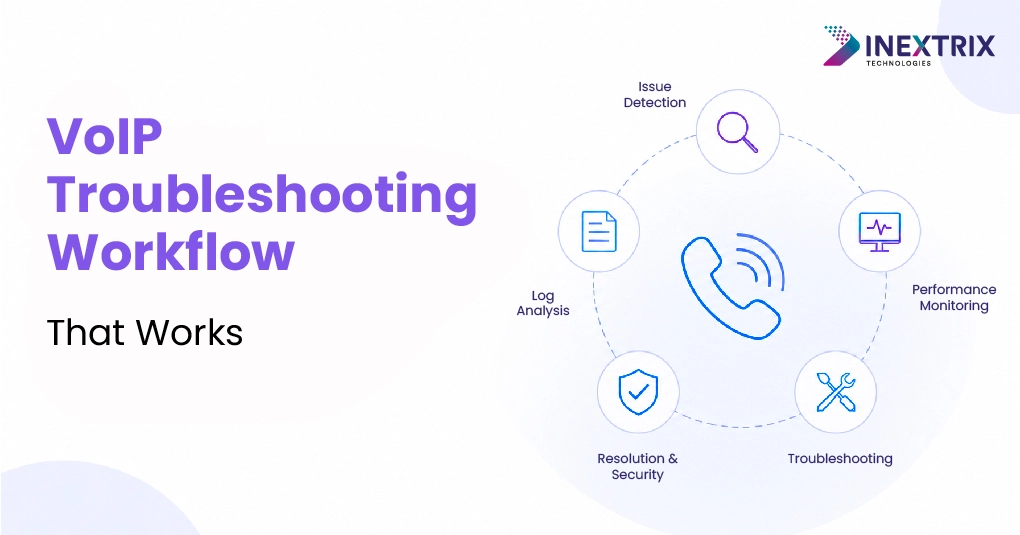
A structured VoIP troubleshooting process helps identify the root cause of call quality issues faster and avoids unnecessary configuration changes.
Follow these steps:
- Check RTCP data to determine whether the issue is caused by latency, jitter, or packet loss.
- Identify where the problem is occurring, your network, the carrier’s network, or the customer’s connection.
- Match the symptom to the likely cause. Choppy audio often indicates jitter or packet loss, while delays usually point to latency. Echo should be investigated separately.
- Make one change at a time and test the results before applying additional fixes.
- Record your baseline metrics and findings to make future VoIP troubleshooting faster and more effective.
The Technical Side: QoS and Performance Optimization
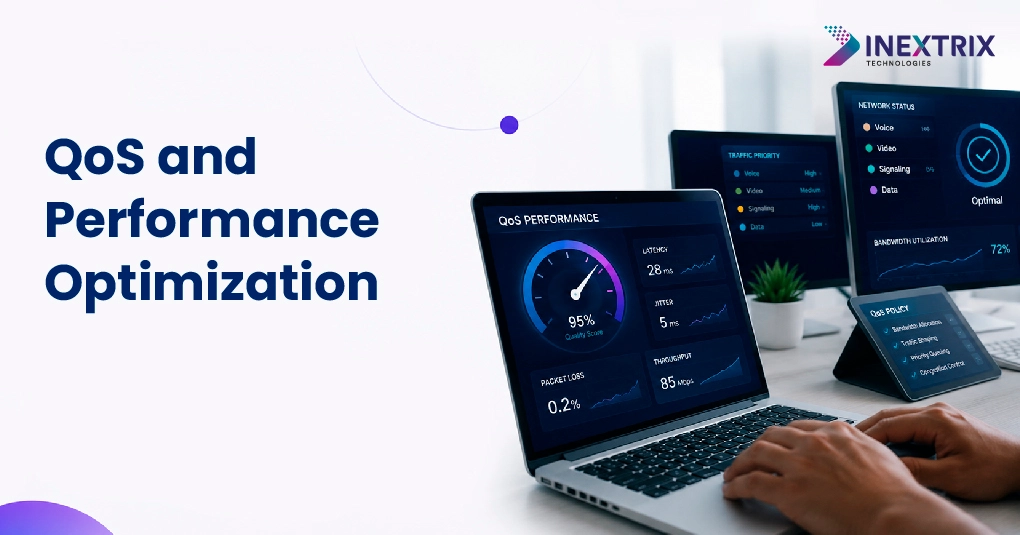
Long-term improvements in VoIP call quality depend on two key areas: VoIP QoS optimization and VoIP performance optimization.
VoIP QoS optimization ensures that voice traffic is prioritized over other network traffic. This typically includes:
- DSCP marking for RTP and SIP traffic.
- Priority queuing across network devices.
- Dedicated bandwidth for voice communications.
VoIP performance optimization focuses on the platform itself. It involves optimizing your softswitch, tuning FreeSWITCH or OpenSIPS for expected call volumes, and ensuring media traffic is routed efficiently during peak loads.
Together, these optimizations improve VoIP call quality, reduce network issues, and help maintain reliable communication as your business scales.
Conclusion:
If your team keeps fixing the same VoIP call quality issues, the problem may be with the platform architecture rather than individual settings. Poor call quality can lead to frustrated users, reduced customer satisfaction, and lower retention.
At Inextrix, we help businesses design, optimize, and maintain scalable VoIP platforms through our VoIP development services, built on FreeSWITCH, OpenSIPS, and custom softswitch solutions.